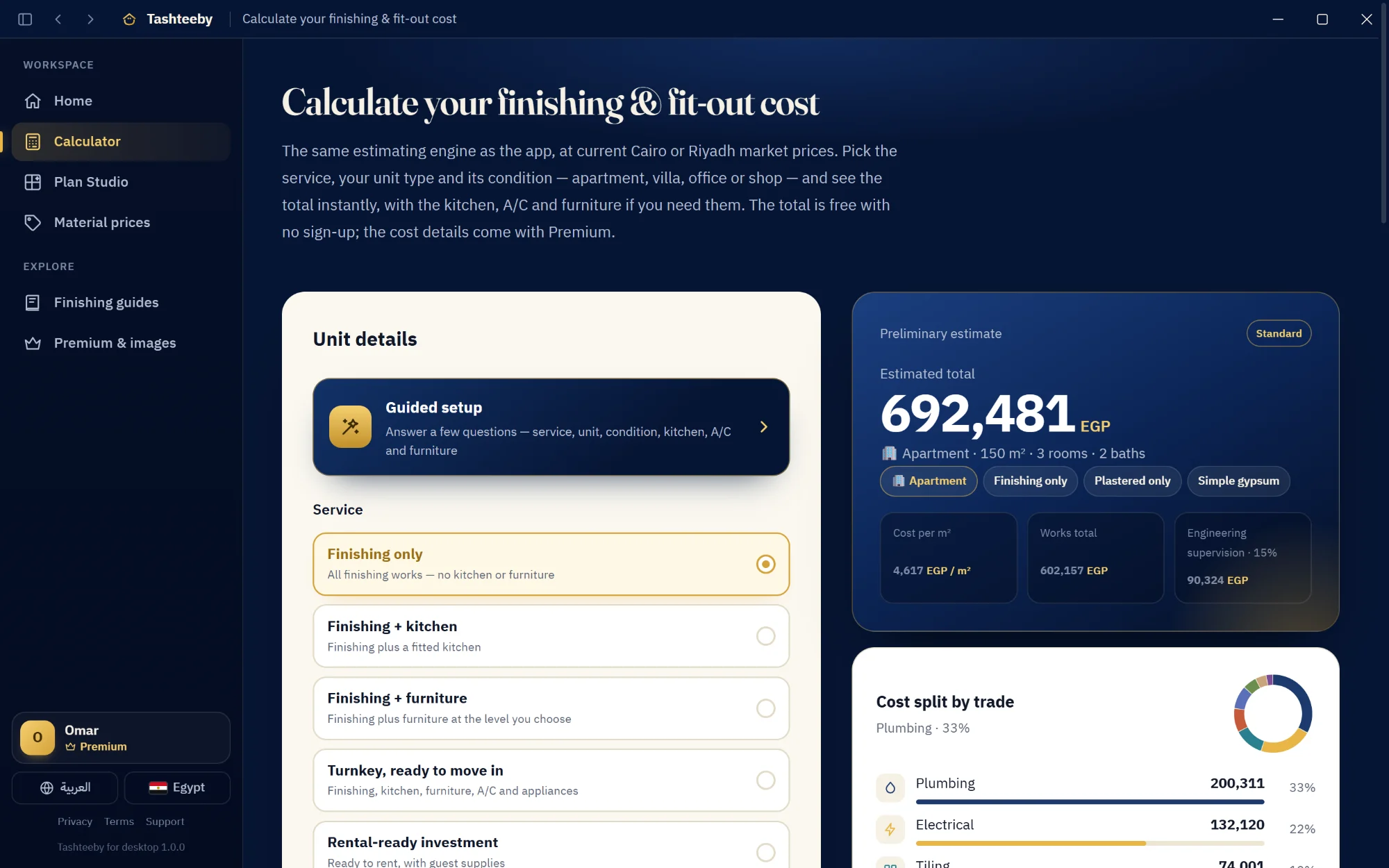
Price your finishing, review the BOQ line by line and upload your floor plan to Plan Studio — on Windows or Mac, with the same account, plans and subscription as your phone and the website.
Everything you like about Tashteeby, with more room and faster tools.
A full-screen workspace
A fixed sidebar and full-width BOQ tables — compare lines and prices without scrolling back and forth.
Keyboard shortcuts
Jump between the calculator, Plan Studio and prices in one keystroke, and start a new estimate with Ctrl+N or ⌘N.
Print and PDF in a click
Print your estimate or export a PDF that's ready to send to your contractor or client.
Drag & drop your plan
Drop a floor-plan image or PDF from your desktop straight into Plan Studio.
One account on every device
Start on your phone, continue on your computer: plans, images, credits and subscription stay in sync.
Safe and always up to date
From the official stores, updated automatically — and Google sign-in happens in your own browser.
Keyboard shortcuts
Windows
Ctrl+1 … 6Home, Calculator, Plan Studio, Prices, Guides, Premium
Ctrl+NNew estimate
Ctrl+Shift+NNew plan
Ctrl+PPrint
Ctrl+BShow / hide the sidebar
Ctrl + / − / 0Zoom text in and out
Alt+← / Alt+→Back and forward
F11Full screen
Mac
⌘1 … 4Home, Estimate, BOQ, Plan Studio
⌘NNew unit
⌘,Settings
⌘PPrint the estimate
⌃⌘SShow / hide the sidebar
⌘WClose the window
Questions about the desktop apps
Is the desktop app free?
Yes. The download is free, and the calculator and preliminary estimate are free with no account. Premium is optional — and one subscription works on the website, your phone and your computer.
I subscribed to Premium on my iPhone. Do I pay again on the Mac?
No. The Mac app is the same App Store app, so your subscription shows up automatically with the same Apple ID. If you subscribed on the website or Android, sign in with the same e-mail and Premium unlocks on any device.
How do I sign in with Google on Windows?
Choose “Sign in with your browser” on the account page inside the app: your browser opens, you sign in as usual and choose “Open Tashteeby” — and you're back in the app, signed in.
What are the system requirements?
Windows 10 or 11 (64-bit; it also runs on ARM PCs) and an internet connection. Mac: macOS 14 Sonoma or later on Apple silicon or Intel.
Does it work offline?
The Mac app calculates costs offline with the last prices it downloaded. The Windows app needs a connection to load market prices and save your plans; it shows a clear screen and reconnects by itself when the connection drops.
Get Tashteeby on every device
One account on iPhone, Android, Windows, Mac and the website.